 Knot
Knot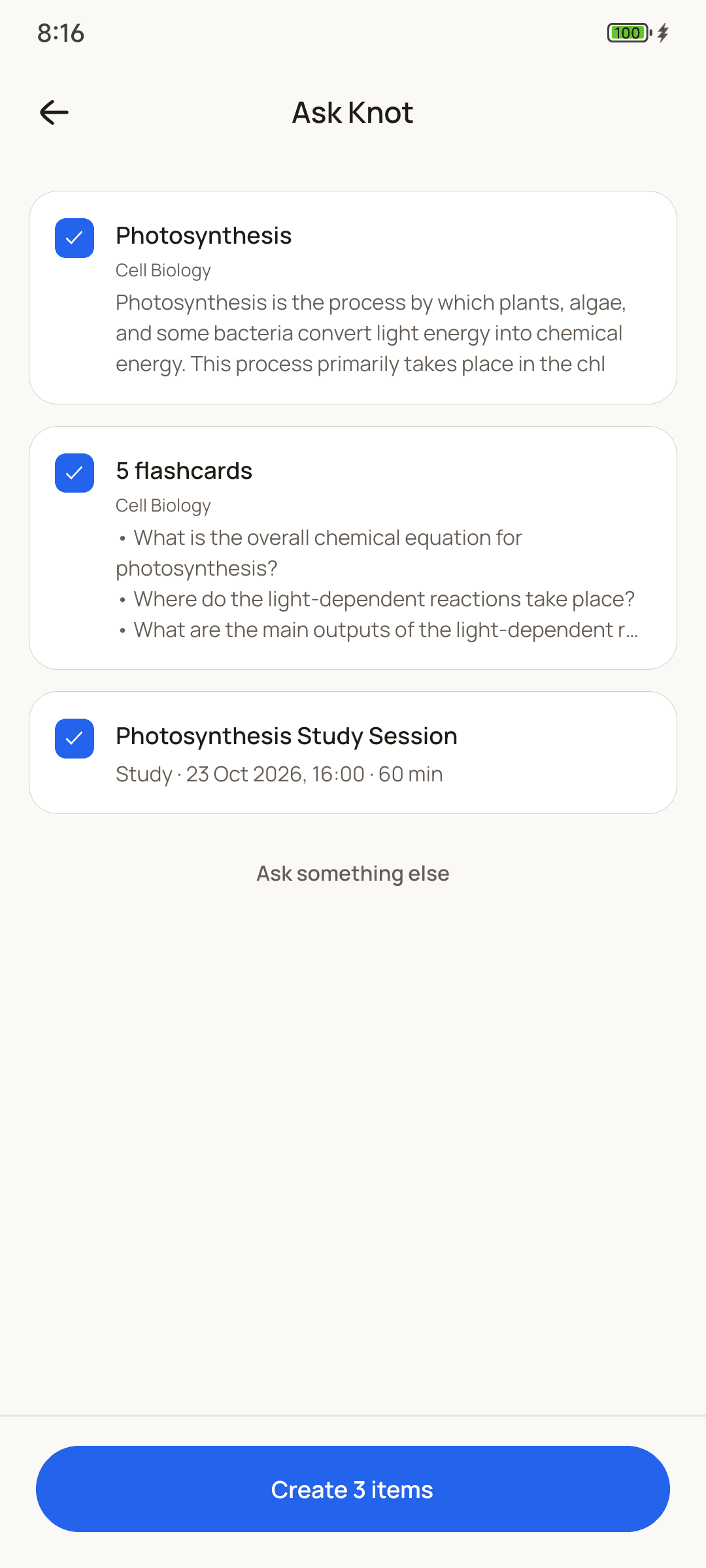
How it works
From PDF to cards in a minute.
Add the PDF
Tap + and choose Flashcards from a PDF, or attach one in Ask Knot's chat. Slides, handouts and scanned pages all work.
Say what you want
Leave it to Knot, or add a line like “15 cards, definitions only” or “just chapter 3”.
Check the drafts
The cards appear as they're written. Open any to edit it, and untick the ones you don't need.
Create and review
Tap Create. The cards join your collection and come back on a spaced-repetition schedule.
Why Knot
Cards worth reviewing.
FAQ
Questions,
answered.
Something else? Email us.
Is it free to turn a PDF into flashcards?
Every account gets 3 free tries, so you can see how it works. After that, Knot Pro lets you use Ask Knot as much as you like on your own AI key, and a free Google Gemini key works. Reviewing the cards you've made is always free.
How big can the PDF be?
Files up to 10 MB. On your free tries, a PDF can be up to about 40 pages; for a longer book, add one chapter at a time. With Knot Pro on your own key, the limit is your AI provider's.
Does it work with scanned PDFs and handwriting?
Yes. Ask Knot reads each page as an image too, so scanned handouts and handwritten notes work. Very faint or messy pages may need a clearer scan or photo.
Can I choose how many cards it makes?
Yes. Add a line when you send the PDF, like “20 cards”, “definitions only” or “focus on the worked examples”, and Knot follows it.
Can I edit the cards before saving them?
Yes. Nothing is saved until you tap Create. Open any draft to change its question or answer, untick the cards you don't want, or ask Knot for changes in the chat.
Which AI makes the cards?
Your free tries use Google's Gemini. With Knot Pro you bring your own key from Google, OpenAI, Anthropic or OpenRouter, and pick the model.
Is Knot on iPhone?
Not yet. Knot is on Android today, through Google Play.
Start remembering
what you study.
Free on Android. No account, no ads, ready in a minute.
Get it onGoogle Play